
In summary:
- True safety when living alone isn’t about owning emergency tools, but designing a complete, practiced system that eliminates delays.
- A structured contact tree with assigned roles is more effective than a simple list of names.
- Every minute counts in medical emergencies like a stroke; your plan must be optimized for speed, from home access to medical information.
- Choosing the right technology (ID bracelets, smartwatches, alert systems) requires analyzing potential failure points like battery life and false alarms.
- A prepared “Grab-and-Go” medical file is the most critical piece of data you can provide to first responders.
For any senior living alone, especially with a chronic condition like diabetes or heart disease, the primary concern is the same: what happens if there is an emergency? The common advice is to get a medical alert system, keep a list of contacts on the fridge, and hope for the best. These are assets, but they are not a plan. A box of tools is not a house. In a crisis, every second of hesitation, every forgotten password, and every locked door contributes to response latency—the critical time between the event and the arrival of help.
The fundamental flaw in most emergency preparations is the focus on individual components rather than on system integrity. Having an alert device is useless if responders can’t get through your front door. A contact list is ineffective if the first person called is unavailable or doesn’t know what to do next. The risk isn’t a lack of resources; it’s the friction between them during a high-stress event.
This guide moves beyond simple ownership of tools. It provides a protocol for designing and implementing a frictionless emergency response system. We will focus on identifying and eliminating every possible point of failure before a crisis hits. This is not about just having a plan; it is about building a rehearsed, robust system that ensures timely and effective intervention when you cannot speak for yourself.
This article provides a systematic approach to building that plan. We will cover the human, technological, and informational components required to create a truly resilient safety net. Follow these protocols to ensure that when help is needed, it arrives without delay.
Summary: Building Your Solo Emergency Response System
- How to set up a contact tree so the right person gets called first?
- Why “Time is Brain”: understanding the 3-hour window for stroke intervention
- Medical ID bracelets vs Smartwatches: which speaks for you when you can’t?
- The danger of false alarms: why crying wolf makes responders slower?
- Sharing access codes with EMS: how to ensure they can enter without breaking the door?
- How to create a “Grab-and-Go” medical file for emergencies?
- The false positive problem: does the device call 911 when you drop it?
- GPS vs Home-Bound PERS: Which System Is Right for an Active Senior?
How to set up a contact tree so the right person gets called first?
The human element of your emergency system is the most critical and often the weakest link. A simple list of names is a passive document; a contact tree is an active response protocol. The goal is to eliminate ambiguity and decision-making during a crisis. Each person in the tree must have a pre-assigned, understood role. This structure ensures that the right actions are taken in the right order, drastically reducing response latency.
The first step is designating your primary point of contact, or “Check-in Buddy.” This individual is the central hub of your network. They should be someone reliable who agrees to a regular check-in schedule and holds all critical information. From there, you build out the branches of the tree with specific roles.
Case Study: The Margaret Van Houten Experience
Margaret Van Houten, an estate planning attorney, experienced a serious health scare while living alone. Her two friends, Sheila and Bev, became worried when she was unreachable. They went to her home, found her unresponsive, and called 911. This real-life incident highlighted a critical vulnerability and led her to develop comprehensive emergency planning protocols. Her experience underscores the vital importance of having designated contacts who not only actively check in but also have the physical means and information to access your home and assist in an emergency.
The system’s integrity depends on clear communication and defined responsibilities. The Proximity Responder must have keys or access codes. The Medical Advocate must be prepared to speak with doctors. The Communicator manages updates to the wider family, freeing up the primary responders. This division of labor prevents chaos and ensures a focused, efficient response.
Why “Time is Brain”: understanding the 3-hour window for stroke intervention
Understanding the stakes is fundamental to preparation. In emergency medicine, particularly for neurological events like a stroke, the concept of “Time is Brain” is not a metaphor; it is a clinical reality. During an ischemic stroke, a blockage cuts off blood flow to a part of the brain. Without oxygen and nutrients, brain cells begin to die within minutes. This is why a rapid response is not just beneficial—it is the primary factor determining the level of long-term disability or survival. The CDC reports that in the United States, every 40 seconds, someone has a stroke, making this a prevalent and time-sensitive risk.
The “Golden Hour” refers to the first 60 minutes after the onset of stroke symptoms. Interventions within this window have the highest chance of success. For certain strokes, a clot-busting drug called tissue plasminogen activator (tPA) can restore blood flow, but its effectiveness diminishes rapidly with each passing minute. For many patients, the effective window for this intervention is within three hours.
The Golden Hour Protocol in Practice
In emergency medicine, the Golden Hour protocol is a race against time. During a stroke, brain cells die rapidly without oxygen. Immediate medical intervention to restore blood flow is critical to minimizing brain damage. For ischemic strokes, the clot-busting drug tPA must be administered as soon as possible for maximum effectiveness. Patients treated swiftly within this “golden” window have significantly higher chances of a full recovery and a reduced risk of permanent disability, demonstrating that every minute saved by an efficient response plan directly translates into preserved brain function.
This clinical reality must be the driving force behind your emergency response system. Every protocol, from the contact tree to providing EMS with home access, is designed to save minutes. Those minutes are what buy time for medical professionals to do their work, preserving brain tissue and the quality of life that depends on it.
Medical ID bracelets vs Smartwatches: which speaks for you when you can’t?
When you are unable to communicate, your medical alert device becomes your voice. The choice between a traditional, passive medical ID bracelet and an active medical alert smartwatch is a critical decision in your system design. It is not simply a matter of old versus new technology; it is a trade-off between reliability, functionality, and potential failure points. A passive device, like an engraved bracelet, requires no power and presents your critical information to anyone who sees it. Its strength is its simplicity and unfailing availability.
An active device, like a smartwatch or a PERS pendant, offers advanced capabilities such as automatic fall detection, GPS tracking, and two-way communication directly with a monitoring center. These features can proactively summon help even if you are unconscious. However, this functionality comes with a critical dependency: power. Daily charging is a mandatory part of the protocol, and a dead battery renders the device useless. According to testing data from the NCOA, the average fall detection response time is 52 seconds, showcasing the speed of these systems when they are operational.
The following table breaks down the key differences to help you perform a failure point analysis for your specific situation.
| Feature | Medical ID Bracelet | Medical Alert Smartwatch |
|---|---|---|
| Information Delivery | Passive (always visible) | Active (can call for help) |
| Power Requirement | None needed | Daily charging required |
| Fall Detection | Not available | Available on most models |
| GPS Tracking | Not available | Real-time location tracking |
| Two-Way Communication | Not available | Direct speaker to monitoring center |
| Battery Life | Not applicable | 16-24 hours average |
| Water Resistance | Fully waterproof | Most are water-resistant |
| Monthly Cost | $0 (one-time purchase) | $30-45/month average |
The optimal solution may be a hybrid approach: a smartwatch for its active features, backed up by a simple, engraved ID bracelet as a failsafe. The decision rests on a realistic assessment of your daily habits and your discipline in maintaining charged devices. An honest self-assessment is key to choosing the device that will reliably speak for you.
The danger of false alarms: why crying wolf makes responders slower?
An often-overlooked failure point in a medical alert system is the false alarm. While it may seem harmless, frequent false alarms can erode the system’s integrity in two ways. First, they can lead to complacency. Family members and even monitoring services may become desensitized, introducing a slight hesitation—a “is this real?” moment—that adds to response latency. Second, they can cause the user to lose confidence in the device, making them hesitant to wear it or even leading them to disable it, creating a total system failure.
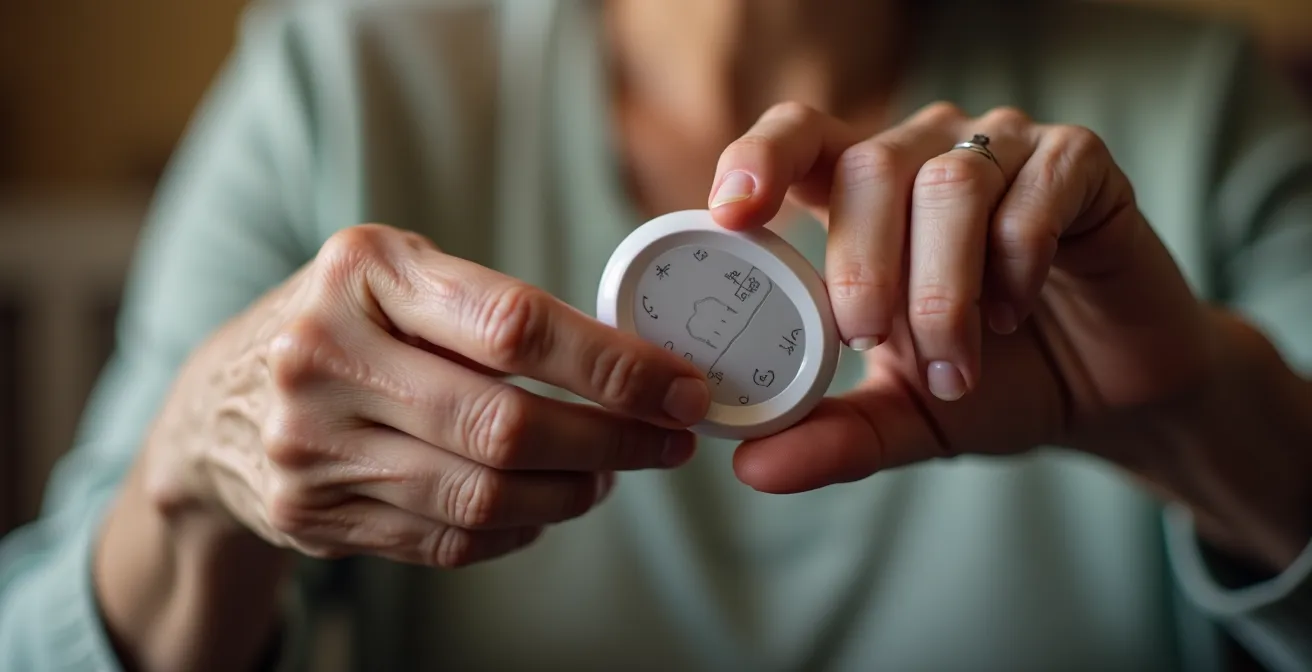
Managing false alarms is an active part of your emergency protocol. The first line of defense is choosing a system with features designed to mitigate them, such as a cancellation button and two-way voice communication that allows you to verify the emergency before 911 is dispatched. Building “muscle memory” by practicing the cancellation process is a crucial rehearsal. You should be able to cancel an accidental trigger quickly and confidently, even when startled.
Furthermore, your communication with the monitoring service after a false alarm matters. A professional and appreciative tone reinforces your role as a responsible user and confirms that the system is working. As Amy Goyer, an AARP Family and Caregiving Expert, advises, it is important to proactively manage this aspect.
Assist them with any difficulties they are having. Monitor any false alarms your loved one is experiencing and consider changes that can be made to prevent them.
– Amy Goyer, AARP Family and Caregiving Expert
If false alarms persist, you must act as a system administrator. Contact customer service to discuss adjusting the sensitivity of a fall detection pendant or to troubleshoot the device. Ignoring the problem is not an option, as it silently undermines the reliability of your entire safety net.
Sharing access codes with EMS: how to ensure they can enter without breaking the door?
One of the most significant and avoidable delays in emergency response is a locked door. First responders are authorized to use force to enter a property if they believe a person inside is in distress, but this takes time and causes property damage. A core component of a frictionless response system is a pre-planned, reliable method for providing emergency home access. You must eliminate the door as a barrier.
The two most common and effective solutions are a key lockbox or a smart lock. A realtor-grade lockbox, installed in a highly visible location like the front door handle, is a simple and robust solution. It requires no power and is a familiar tool for EMS personnel. The combination to the lockbox should be registered with your medical alert monitoring service, which will relay it to the 911 dispatcher when you call for help. A simple sticker on your front door or window stating “EMS: KEY LOCKBOX ON DOOR” can save critical minutes.
Case Study: Smart Lock Implementation for Immediate Access
To solve the problem of entry, some families replace the front door’s deadbolt with a smart lock, a keyless entry system opened remotely or with a keypad code. This allows them to provide a temporary, one-time access code to EMS dispatch during an emergency. In one instance, a family reported this system eliminated the typical 3-5 minute delay caused by forced entry. Furthermore, some medical alert companies offer integrated systems where they can provide the lockbox combination directly to emergency personnel, streamlining the entire process and ensuring responders can enter without delay or damage.
Whether you choose a low-tech lockbox or a high-tech smart lock, the protocol is the same: the access code must be on file and ready *before* the emergency. This information is a vital piece of data that your monitoring company will pass to dispatchers, ensuring that responders can walk through your door, not break it down.
How to create a “Grab-and-Go” medical file for emergencies?
When first responders arrive, they need information as urgently as they need access. In a high-stress situation, you may not be able to recall your full medical history, medications, or allergies. A “Grab-and-Go” medical file is the data packet for your emergency response system. It provides a clear, concise summary of your health status, empowering paramedics to provide the best possible care immediately. The need for such preparation is stark; research shows that people living alone experience 28% longer response times to medical emergencies and have more unplanned hospitalizations, making efficient information transfer essential.
This file should not be a comprehensive binder of every test result you have ever received. It must be optimized for speed and clarity. The most important document is the “First Five Minutes Sheet,” a single page containing only the most critical information in a large, easy-to-read font. This sheet should be the first thing a paramedic sees. Color-coding key sections—such as red for life-threatening allergies and yellow for medications—can help draw the eye to vital data instantly.
Accessibility is paramount. This file cannot be hidden in a drawer. Keep copies in multiple, highly visible, and predictable locations: taped to the refrigerator, in a folder on your bedside table, and a miniaturized version in your wallet. Additionally, having a digital backup, such as a dedicated photo album on your smartphone, provides another layer of redundancy.
Your Action Plan: Assembling the “Grab-and-Go” Medical File
- Create the “First Five Minutes Sheet”: List your full name, date of birth, primary diagnoses, life-threatening allergies, current medications, primary doctor’s contact, and emergency contact. Use a large, clear font.
- Implement Color-Coding: Use highlighters to make information scannable. A common protocol is yellow for medications, red for allergies, and green for contact information.
- Include a “What Happened” Section: Add a blank space with a notepad and pen to the file. This allows you or a bystander to jot down the time of symptom onset, a critical piece of information for doctors.
- Create a Digital Backup: Take clear photos of every document in your file and organize them into a dedicated, easily accessible album on your smartphone.
- Ensure Maximum Accessibility: Place physical copies of your file in multiple, standardized locations. The most common are the refrigerator door, your primary bedside table, and in your wallet or purse.
This file is your advocate when you cannot be. Preparing it is not a suggestion; it is a mandatory step in building a resilient solo emergency response system.
The false positive problem: does the device call 911 when you drop it?
A primary concern with modern fall detection technology is the risk of false positives—the device triggering an alarm when you simply drop it or make a sudden movement. This is a legitimate issue that relates directly to the “crying wolf” syndrome. If a device is overly sensitive, it can lead to frequent, unnecessary alerts that cause stress for you and potential desensitization for your contacts and monitoring service. This erodes the trust and reliability of the system.
However, technology in this area has advanced significantly. Modern devices use sophisticated algorithms that analyze a combination of factors, including impact force, altitude change, and post-event orientation, to distinguish a genuine fall from an accidental drop. While no system is 100% accurate, the rate of false positives has been drastically reduced in high-quality devices. It’s important to research the performance of specific models before purchase. For instance, in caregiver tests, the SOS Mobile detected 4 out of 5 fast falls and a majority of slow falls, showing a high degree of reliability.
Real-World Accuracy: The MGMini Lite Test
In a weeklong evaluation to test real-world fall detection accuracy, the MGMini Lite device emerged as a top performer. It accurately detected 80 percent of both fast and slow test falls while impressively triggering zero false alarms throughout the testing period. This performance, achieved without needing sensitivity adjustments, demonstrates that modern fall detection technology has made significant strides in its ability to accurately distinguish between actual falls and other everyday movements, increasing user confidence and system reliability.
When selecting a device, look for those with adjustable sensitivity and a clear cancellation process. The ability to fine-tune the device to your activity level can significantly reduce false alarms. The presence of two-way voice communication is also a critical feature, as it allows the monitoring center to speak with you directly to verify if an emergency is real before dispatching help. This feature alone prevents the vast majority of false alarms from ever reaching 911.
Key Takeaways
- A successful emergency plan is a complete system, not a collection of individual tools. Focus on eliminating friction between components.
- Time is the most critical variable. Every part of your protocol, from contact trees to home access, must be optimized to reduce response latency.
- Technology is a powerful ally, but it requires active management. Understand and mitigate failure points like battery life and false alarms through rehearsal and maintenance.
GPS vs Home-Bound PERS: Which System Is Right for an Active Senior?
The final component of your emergency response hardware is choosing a system that matches your lifestyle. A Personal Emergency Response System (PERS) is not a one-size-fits-all solution. The primary choice is between a traditional, home-bound system and a modern, mobile GPS-enabled device. This decision should be based on a realistic assessment of where you are most likely to need help. A home-based system is an excellent, reliable choice for individuals who spend the majority of their time at or near their home.
As an occupational therapist, I have worked with many active and on-the-go seniors who feel they do not need a medical alert system, because of their strength, mobility, and balance. However, a medical alert system with a tracking device for seniors is very important for people who engage in outdoor activities, in case a fall or other medical emergency happens away from home.
– Linda, OTR, Occupational Therapist with 25 years experience
For active seniors who travel, garden, or engage in community activities, a mobile GPS system is essential. These devices operate on a cellular network, providing coverage anywhere you have a signal. They include a GPS locator that can pinpoint your location for first responders, a critical feature if you have an emergency away from home. The trade-off is typically battery life, which requires a more frequent charging protocol. The table below outlines the core differences.
| Feature | GPS Mobile System | Home-Based System |
|---|---|---|
| Coverage Area | Nationwide with cellular coverage | 1,400 feet from base station |
| Battery Life | 16 hours to 5 days (varies by model) | 32-hour backup during power outages |
| Monthly Cost | $39.95-$45 average | $27.95-$35 average |
| Fall Detection Accuracy | 70-80% detection rate | 85-90% detection rate |
| Best For | Active seniors, outdoor activities | Primarily home-bound individuals |
| GPS Tracking | Real-time location tracking | Not available |
| Water Resistance | Most are water-resistant | Pendants are waterproof |
| Charging Requirements | Daily to every 5 days | Pendant batteries last up to 3 years |
Ultimately, the right system is the one you will wear and use consistently. Your choice must align with your daily reality. An honest evaluation of your personal activity level is the final step in architecting a system that protects you wherever you are.
The time to build and rehearse your emergency response system is now, during a period of calm, not in the midst of a crisis. Start today by assembling your “Grab-and-Go” medical file and identifying the key members of your contact tree. A well-prepared plan is the ultimate act of independence and control.