
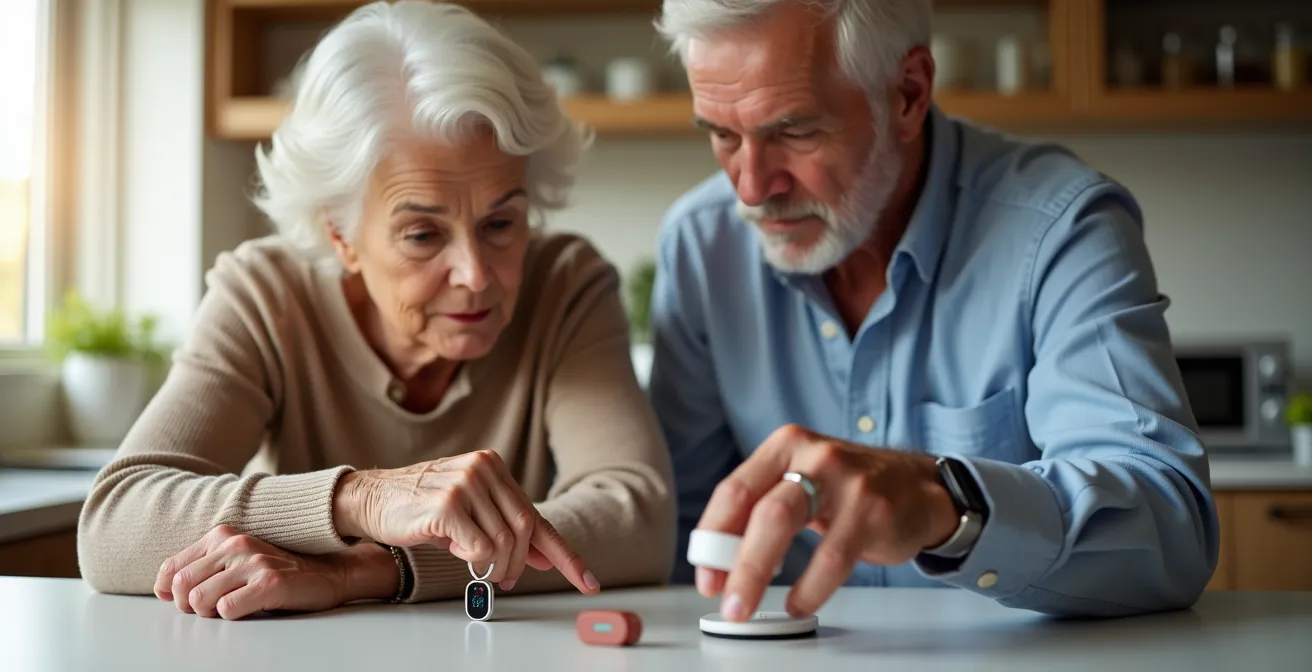
Choosing a Personal Emergency Response System (PERS) is not about “active vs. home-bound” but about analyzing a device’s usability and reliability during a genuine crisis.
- The most critical features are those that function under duress, such as speaker clarity during a health event and the accuracy of fall detection sensors.
- Form factor (watch vs. pendant) involves a direct trade-off between discretion and accessibility in an emergency, while contracts can hide significant long-term costs.
Recommendation: Prioritize systems with proven crisis usability, transparent pricing, and customizable protocols that match your specific health needs and daily routines.
For an independent senior who enjoys gardening, traveling, or simply being active, the choice of a Personal Emergency Response System (PERS) seems straightforward: a mobile GPS unit. The standard advice pits mobile systems for active individuals against at-home systems for the sedentary. This binary choice, however, dangerously oversimplifies the decision. It ignores the granular technical details that determine whether a device is a reliable lifeline or a frustrating point of failure in a moment of crisis. The real question is not *where* you will need help, but how effectively the device will perform when you do.
The market is saturated with options, from discreet smartwatches to traditional pendants, each boasting features like automatic fall detection and two-way communication. But beneath this surface, critical differences exist. These systems are not just gadgets; they are components in a personal safety infrastructure. Their effectiveness hinges on factors rarely highlighted in marketing materials: the intelligence of their fall detection algorithms, the clarity of their speakers when you can barely speak, and the real-world accessibility of a button when disoriented or injured. This analysis moves beyond the platitudes to focus on a more crucial framework: crisis usability.
Instead of a simple “home vs. away” comparison, this guide provides a feature-focused analysis of the technical trade-offs involved. We will dissect the performance of these systems under pressure, examining the nuances of their hardware, the transparency of their contracts, and the routines required to ensure they are always ready. The goal is to equip you with the analytical tools to select a system not just for your active lifestyle, but for your safety in the most critical moments.
This article provides a detailed breakdown of the key technical and practical considerations for choosing the right PERS. The following sections will guide you through a systematic evaluation of the features that truly matter.
Summary: A Security Analyst’s Guide to Choosing a PERS
- The false positive problem: does the device call 911 when you drop it?
- Watches vs Pendants: finding a device that doesn’t scream “I’m frail”?
- Hidden fees in PERS contracts: what to look for before signing?
- Why the speaker quality matters during a stroke or heart attack?
- Battery anxiety: how to build a routine so the device is never dead?
- Medical ID bracelets vs Smartwatches: which speaks for you when you can’t?
- The battery check routine: avoiding sensor failure when it matters most
- How to Ensure Timely Clinical Interventions When Living Alone with a Chronic Condition?
The false positive problem: does the device call 911 when you drop it?
Automatic fall detection is a headline feature for most modern PERS, promising to call for help even if the user is incapacitated. However, its real-world performance is a major point of analysis. The core technology relies on accelerometers, which measure changes in velocity. The challenge is distinguishing a genuine fall from everyday movements like sitting down quickly, bending over, or dropping the device. An overly sensitive system can lead to a high rate of false alarms, causing unnecessary stress and potentially leading to a “boy who cried wolf” scenario where the user or monitoring center becomes desensitized to alerts. In fact, research testing of commercial fall detection systems found that of 84 recorded alarms, 83 were false positives.
To combat this, advanced systems are incorporating more sophisticated technology. For example, some devices now combine accelerometer data with information from a barometric pressure sensor. This second sensor detects rapid changes in altitude, providing another data point to confirm that a true vertical drop—characteristic of a fall—has occurred. This multi-sensor approach, such as that used by Connect America, significantly improves accuracy by helping the device’s algorithm differentiate between a user falling to the ground and a pendant merely being dropped on a table. Most systems also include a cancellation protocol, where the device will beep or vibrate, giving the user a short window (e.g., 30 seconds) to press a button and cancel the alarm before it contacts the monitoring center. Understanding this protocol is key to managing the device effectively.
Action Plan: How to Minimize Fall Detection False Alarms
- Wear the device as instructed: Ensure the device is worn tightly and in the position recommended by the manufacturer (e.g., outside clothing) for optimal sensor performance.
- Understand the evaluation period: Be aware that many systems have a built-in delay after impact to evaluate movement before triggering an alarm.
- Adjust sensitivity settings: If your device allows it, tailor the fall detection sensitivity to match your typical activity level to reduce false triggers.
- Practice the cancellation protocol: Regularly test how to cancel a false alarm so you can do it quickly and confidently without panicking.
- Communicate with the monitoring center: If a false alarm does go through, inform the operator immediately so they understand what happened and can note it in your file.
Watches vs Pendants: finding a device that doesn’t scream “I’m frail”?
The form factor of a PERS device is a critical decision, balancing aesthetics, discretion, and what we call “crisis usability.” For many active seniors, the traditional pendant is stigmatizing, broadcasting a sense of vulnerability. As the NCOA Research Team notes, “Medical alert watches can be a great alternative to traditional medical alert devices because they look like regular smartwatches.” This discretion encourages consistent use, which is the first rule of any safety system—it only works if you wear it. However, the choice between a watch and a pendant is a series of technical and ergonomic trade-offs that must be carefully weighed.
This close-up comparison shows a modern smartwatch and a classic pendant, highlighting the fundamental design differences that impact both daily wear and emergency use. The sleek lines of the watch offer discretion, while the simple, single-purpose design of the pendant prioritizes accessibility in a crisis.
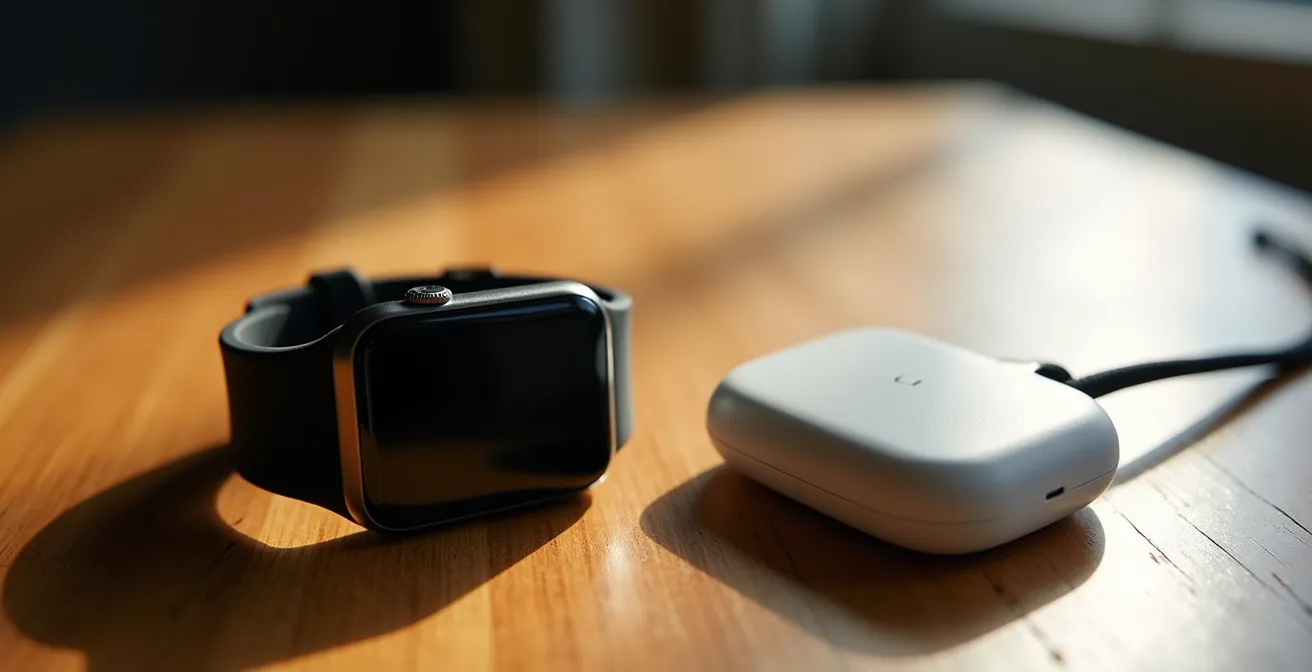
While a watch integrates seamlessly with daily life, offering features like time display and step tracking, its usability during a real emergency can be compromised. A small button on a touchscreen can be difficult to operate when disoriented or shaking. Furthermore, if you fall and break your wrist, the device on that arm becomes nearly impossible to use. A pendant, worn around the neck, is typically more accessible with either hand and features a large, single-purpose button that is easy to press even without looking. The microphone’s position on a pendant is also often closer to the mouth, improving signal integrity for clearer two-way communication.
This table breaks down the key functional differences beyond mere appearance, providing a clear analytical framework for your decision.
| Feature | Medical Alert Watch | Pendant Device |
|---|---|---|
| Discreteness | Looks like regular smartwatch | More visible medical device |
| Average Monthly Cost | Higher ($39-80/month) | Lower ($25-40/month) |
| Button Accessibility | May be harder with broken wrist | Easier to press when disoriented |
| Microphone Position | Further from mouth | Closer to mouth for clearer audio |
| Additional Features | Step tracking, weather, time display | Single-purpose emergency button |
Hidden fees in PERS contracts: what to look for before signing?
Beyond the advertised monthly monitoring fee, the total cost of ownership for a PERS can be obscured by a variety of upfront charges and contractual obligations. A thorough analysis of the service agreement is crucial to avoid expensive surprises. The most common initial cost is an activation or equipment fee. While many companies offer free equipment with a monitoring plan, industry analysis shows upfront activation fees range from $0 to $299. This one-time charge can significantly impact the initial investment.
The most significant hidden cost, however, often lies in the contract term. Some providers require long-term commitments that can be difficult and expensive to exit. A prime example is Life Alert, which is known for requiring customers to sign a three-year service agreement upon enrollment. This represents a total commitment of approximately $2,700 over the term, and early cancellation can result in substantial penalties. Other potential fees to watch for include shipping charges, “restocking fees” for returned equipment (which can be as high as $50), and extra costs for accessories or premium features like fall detection or caregiver apps. Even warranty and protection plans may be sold as separate, additional charges rather than being included in the monthly fee. Before signing any contract, demand a clear, itemized list of all potential one-time and recurring charges to understand the true total cost of ownership.
Why the speaker quality matters during a stroke or heart attack?
In the aftermath of a fall or during a sudden medical event like a stroke or heart attack, the ability to communicate clearly is paramount. The two-way speaker built into a PERS device is the only link between you and the monitoring center operator. If the operator cannot hear you or understand your words, their ability to dispatch the correct type of help is severely hampered. This is not just a matter of convenience; it is a critical component of emergency response. Medical experts often refer to the “golden hour,” noting that the 90% survival rate when help arrives within one hour after a serious fall underscores the need for fast, effective communication.
This macro view of a pendant’s speaker grille emphasizes the technical nature of this critical component. The quality of this hardware directly determines the clarity of your voice in an emergency.
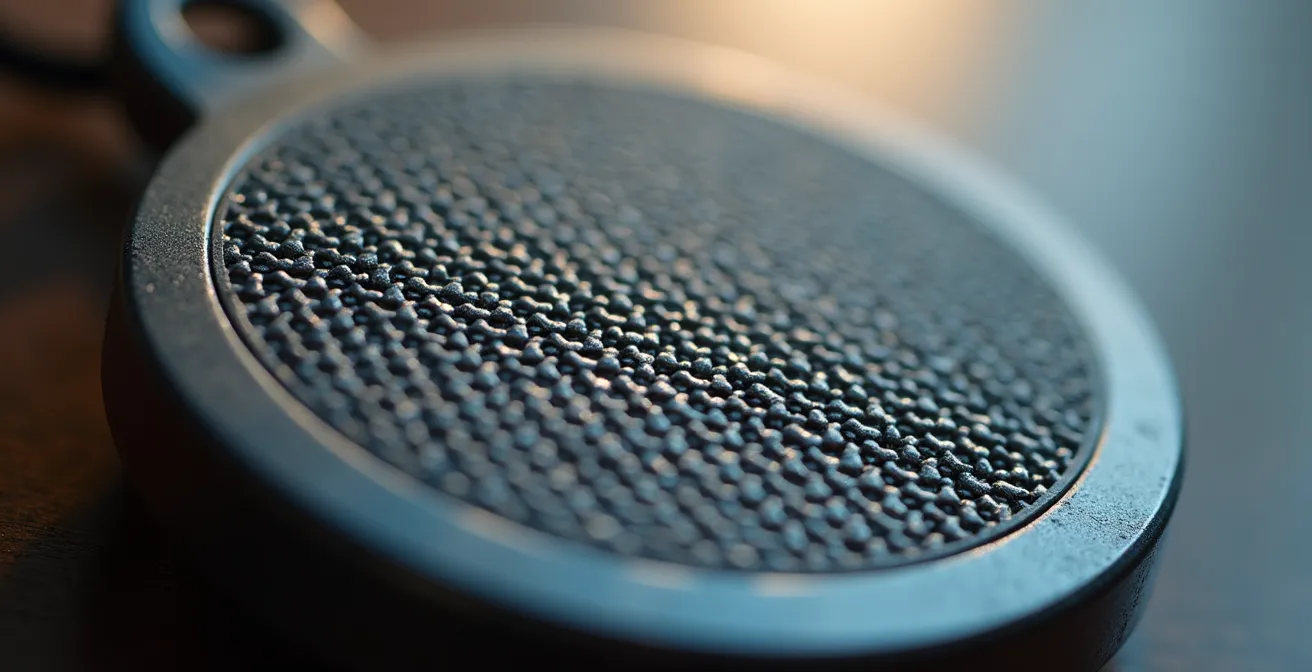
During a stroke, speech may become slurred (dysarthria), or during a heart attack, a user may only be able to speak in a faint whisper. A high-quality, sensitive microphone and a loud, clear speaker are essential to bridge this gap. The signal integrity must be robust enough to transmit even weak or distorted speech and to ensure you can hear the operator’s questions and reassurances. When evaluating a system, ask the provider about the speaker’s volume (measured in decibels) and the sensitivity of the microphone. Some systems offer superior noise-canceling technology, which can be vital if an emergency occurs in a noisy environment, like near a busy road or with a television on. Do not underestimate this feature; in a true crisis, the quality of the speaker system can be as important as the button that activates it.
Battery anxiety: how to build a routine so the device is never dead?
A mobile GPS-enabled PERS offers freedom, but it comes with a critical responsibility: battery management. Unlike a landline-based home unit with constant power, a mobile device is only as good as its last charge. “Battery anxiety”—the fear of the device dying when you need it most—is a valid concern and a significant potential point of failure. Mobile PERS devices typically have a battery life ranging from 24 hours to 5-7 days, depending on the model and usage. Establishing a foolproof charging routine is not just a good idea; it’s a mandatory part of owning the system.
The most effective method for building this routine is “habit stacking,” where you link the new behavior (charging the device) to an existing daily habit. For example, if you take medication every evening, you can make charging the PERS part of that same routine. To implement this, you can:
- Place the charging cradle directly next to your pill organizer.
- Set a daily alarm on your phone or clock labeled “Charge Medical Alert” for the same time you take your pills.
- Create a centralized “charging station” where you charge all your essential devices—phone, hearing aids, and PERS—at the same time each night.
For added security, especially on days with extended outings, consider keeping a fully charged portable power bank in your purse or car. Some companies are also addressing this issue through technology. For instance, the Bay Alarm’s Caregiver Tracking app includes low battery notifications, which can alert a family member or caregiver when the device’s battery is running low. This shifts some of the monitoring burden from the senior to their support network, creating a valuable safety net.
Medical ID bracelets vs Smartwatches: which speaks for you when you can’t?
In an emergency where you are unable to communicate, having information readily available for first responders is crucial. The traditional solution is a medical ID bracelet, which is engraved with key information like allergies, chronic conditions (e.g., diabetes, epilepsy), and emergency contacts. The modern alternative is a medical alert smartwatch, which can store this information digitally and do much more. As the ConsumerAffairs Research Team states, “A medical ID bracelet cannot be used to alert responders in the event of an emergency, and it won’t detect falls.” This highlights the fundamental difference: a bracelet is a passive information source, while a smartwatch is an active communication and detection tool.
The primary advantage of a traditional medical ID bracelet is its simplicity and universal recognition. It requires no power, is always readable, and any first responder will immediately understand its purpose. However, the information is static. In contrast, a medical alert smartwatch can provide dynamic information, such as real-time location via GPS and potentially even vital signs. Crucially, it has the ability to actively call for help, connecting you directly to a monitoring center that can relay your specific medical history to dispatchers. This active capability is the single biggest advantage of a smartwatch over a bracelet. The trade-off is complexity and reliability; the watch is dependent on battery power and a cellular connection to function, and a first responder might not know how to access its medical information, whereas a bracelet is fail-proof in its simplicity.
This comparative table highlights the distinct roles these two types of devices play in a personal safety plan.
| Feature | Medical ID Bracelet | Medical Alert Smartwatch |
|---|---|---|
| Information Type | Static (allergies, conditions) | Dynamic (real-time vitals, location) |
| Power Required | None – always readable | Battery dependent |
| First Responder Recognition | Universal understanding | Requires device knowledge |
| Cost Structure | One-time purchase | Monthly subscription |
| Fall Detection | Not available | Available with sensors |
| Emergency Call Capability | Cannot call for help | Direct connection to monitoring |
The battery check routine: avoiding sensor failure when it matters most
While mobile GPS devices require daily user attention for charging, the at-home base station component of many PERS systems presents a different kind of battery consideration. For active seniors who still maintain a home base, this unit acts as the central communication hub. During a power outage, the base station’s backup battery is the only thing keeping the system operational. If this backup fails, the entire safety net collapses, rendering both the base station and any paired pendants or wrist buttons useless. Therefore, understanding and routinely checking the system’s backup power is a critical, albeit often overlooked, aspect of maintenance.
Most modern medical alert base stations typically maintain operation for 24 to 72 hours on a full backup battery charge. This provides a crucial window of protection during common power failures. However, like all rechargeable batteries, their capacity diminishes over time. A battery that once held a 32-hour charge may only hold 12 hours after three or four years of service. It’s essential to perform a quarterly battery check: unplug the base station from the wall and press the emergency button to confirm it can still connect to the monitoring center while running on backup power. This simple test verifies the health of the backup system.
My grandma and I were most impressed with the MGMini’s five-day battery life, especially since I’m pretty forgetful when it comes to charging my devices.
– User testing Medical Guardian devices
This user’s experience with a mobile device’s long battery life highlights the importance of this feature, but the principle extends to the system’s stationary components. A system’s reliability is only as strong as its weakest power source, making the backup battery a critical point of failure that requires a proactive checking routine.
Key Takeaways
- Crisis Usability Over Features: The best device is not the one with the most features, but the one that is easiest and most reliable to use during an actual emergency.
- Form Follows Function: The choice between a watch and a pendant is a direct trade-off between social discretion and emergency-use ergonomics.
- Analyze Total Cost: Look beyond the monthly fee to understand the full financial commitment, including activation fees, contract length, and cancellation penalties.
How to Ensure Timely Clinical Interventions When Living Alone with a Chronic Condition?
For an active senior living with a chronic condition such as diabetes, heart disease, or COPD, a PERS can be more than a reactive safety device; it can be a vital link in a proactive healthcare management plan. Ensuring timely clinical intervention requires customizing the system’s response protocol to reflect your specific medical needs. Standard procedure for a PERS call is to dispatch emergency medical services (EMS). However, with a chronic condition, the ideal first response might be different or require more specific instructions. For instance, for a diabetic experiencing a hypoglycemic event, the protocol could instruct the operator to first contact a nearby family member who knows where the glucose tablets are.
The key is to thoroughly document your medical history, medications, and condition-specific instructions with the monitoring service. When you enroll, provide a detailed list including your primary physician, any specialists, and your preferred hospital. This information allows the monitoring center operator to act as an informed advocate on your behalf when speaking with EMS, providing critical context that can save valuable time. For example, a protocol can be set to “check glucose first” for a diabetic user or to inform paramedics about a specific heart condition before they even arrive. Some advanced systems, like those from Clear Arch Health, are blending traditional PERS with Remote Patient Monitoring (RPM), allowing for an even more integrated approach to health and safety at home.
Testing this custom protocol is just as important as setting it up. Place a non-emergency test call to the monitoring center monthly and ask the operator to read back your specific instructions. This confirms the information is correct and that the operators are trained to follow your unique protocol, ensuring the system is perfectly tailored to provide the most effective response for your chronic condition.
To fully leverage these insights, the next logical step is to conduct a detailed assessment of your personal needs against the technical specifications of leading systems. Evaluate which device offers the best combination of crisis usability, transparent pricing, and customizable support for your unique lifestyle and health profile.
Frequently Asked Questions on PERS Contracts
What equipment-related fees should I watch for?
If you cancel your contract early, you may be on the hook for any outstanding balance on leased equipment, and some companies charge a ‘restocking fee’ that can be as much as $50.
Are there charges beyond the monthly monitoring fee?
Hidden costs can include activation fees, cancelation penalties, and shipping charges. Many companies also offer features like fall detection and accessories at an additional monthly or one-time cost.
How do warranty and protection plans affect total cost?
You may have to purchase a separate warranty or product protection plan. This could be a one-time upfront charge or an additional fee wrapped into your monthly payment, so it’s important to clarify how equipment damage or loss is handled.