

For a tech-resistant senior, the best wearable isn’t the one with the most features, but the one that requires the least interaction.
- Smart rings excel at “set-and-forget safety” by prioritizing passive, 24/7 data collection with minimal user input and weekly charging.
- Smartwatches, with their screens and daily charging needs, introduce a higher “cognitive load” and create potential safety gaps.
Recommendation: Prioritize devices with the lowest “interaction cost” to ensure consistent use and reliable monitoring for loved ones who are not tech-savvy.
The conversation is a familiar one for many adult children. You want to ensure a parent’s safety with modern technology, but you know they see a new gadget less as a helping hand and more as a frustrating chore. The market is flooded with options, from full-featured smartwatches like the Apple Watch to traditional medical alert pendants. We are often told that more features—apps, notifications, vibrant screens—equal better safety. This line of thinking is a common pitfall, as it overlooks the single most important factor for a tech-resistant user: adoption.
The reality is that a device, no matter how advanced, is useless if it’s sitting on a charger, left on a nightstand, or rejected entirely due to its complexity. This is where the concept of passive biosensing becomes critical. Instead of focusing on what a device *can do* with active user engagement, we need to focus on the vital data it can gather silently in the background. The most effective technology for this demographic is often the most invisible technology.
But if the solution isn’t more features, what is it? This guide proposes a shift in perspective. The true key to wearable safety for a tech-averse senior is not the number of apps, but the minimization of cognitive load and “interaction cost”. It’s about achieving “set-and-forget safety.” We will explore this by comparing the two dominant philosophies—the passive smart ring and the active smartwatch—across the issues that truly matter: memory impairment, the daily struggle of charging, the real-world effectiveness of fall detection, and the practicalities of 24/7 wear.
This article will break down the practical differences between these devices to help you make an informed decision. By analyzing the core usability factors, you can choose a solution that provides genuine peace of mind, not another source of technological frustration.
Summary: Smart Rings vs Watches: Which Wearable Biosensor Is Best for Seniors Who Hate Tech?
- Why passive biosensors are safer for seniors with memory impairment?
- The charging struggle: choosing a device that doesn’t die every 18 hours
- Wrist vs Neck sensors: which form factor detects slow-motion falls better?
- How to prevent contact dermatitis from wearing sensors 24/7?
- Glucose monitoring without needles: are non-invasive sensors ready for prime time?
- Medical ID bracelets vs Smartwatches: which speaks for you when you can’t?
- Sensors vs Cameras: obtaining safety data without video surveillance
- GPS vs Home-Bound PERS: Which System Is Right for an Active Senior?
Why passive biosensors are safer for seniors with memory impairment?
For any individual, but especially a senior experiencing memory impairment, the concept of cognitive load is paramount. Every notification that needs to be dismissed, every button that needs to be pushed, and every app that needs to be navigated adds to this mental burden. A smartwatch, by its very design, is a device of active engagement. It demands attention. A smart ring, conversely, is built on a philosophy of passive collection. It does its job—monitoring heart rate, oxygen levels, sleep patterns, and activity—without ever asking the wearer to do anything. While wearable adoption is growing, with recent data showing that 19-25% of Americans over 65 use wearables, the key to success is choosing the right type of device.
The goal is to gather consistent health data, and consistency is the first casualty of a high-friction device. If a senior forgets to put their watch back on after charging, or gets confused by an alert, a gap in data is created. A smart ring, which can be worn for up to a week without removal, dramatically reduces these points of failure. The data is simply collected and synced to a family member’s or caregiver’s phone, turning the device into a true “set-and-forget safety” tool. The absence of a screen is not a flaw; for this user, it is the most important feature.
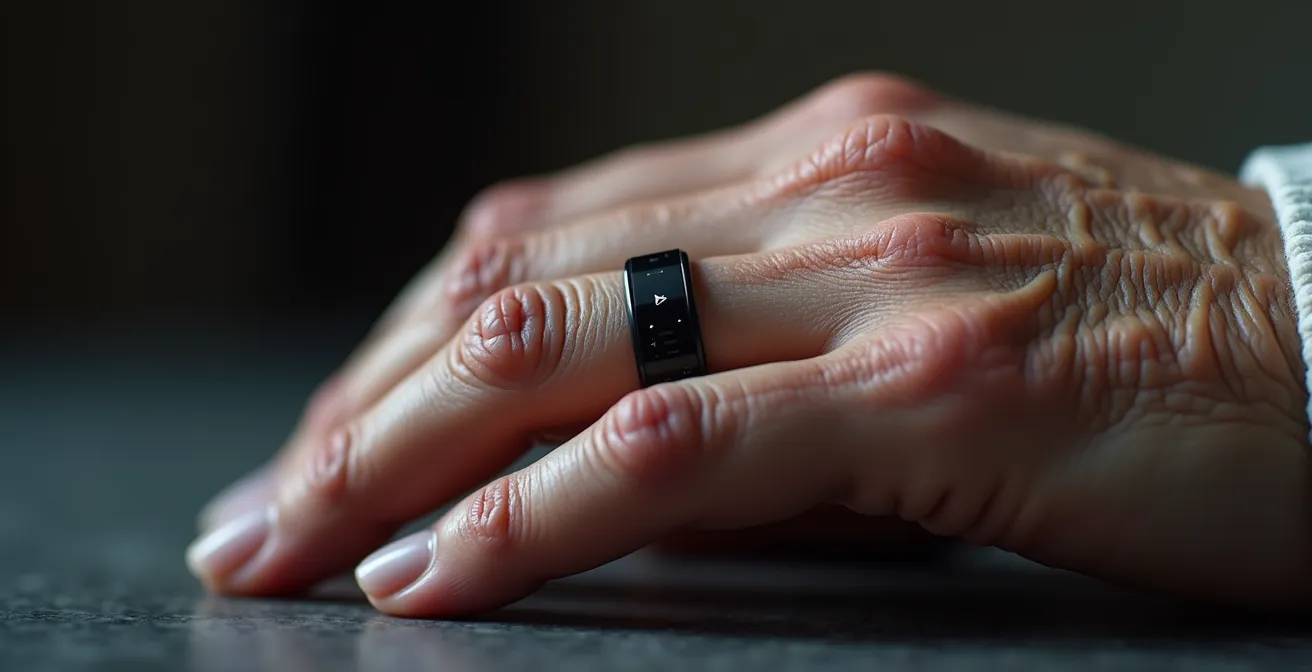
The table below starkly illustrates the difference in the mental energy required by each device. The smart ring is designed for zero daily interaction, making it an ideal choice for ensuring continuous monitoring without adding a new layer of complexity to a senior’s life. The data is accessible to those who need it, without burdening the person who is simply living their life.
| Feature | Smart Ring | Smartwatch |
|---|---|---|
| Daily Interactions Required | 0 (passive monitoring) | Multiple (notifications, buttons, apps) |
| Screen Interface | None – data via phone app | Active display requiring attention |
| Charging Frequency | Weekly (up to 7 days) | Daily or every other day |
| Setup Complexity | One-time pairing | Multiple app configurations |
| Continuous Data Collection | 24/7 passive tracking | Requires user activation for some features |
The charging struggle: choosing a device that doesn’t die every 18 hours
Battery life isn’t a matter of convenience; it’s a critical safety feature. A wearable device can only protect a senior if it’s being worn, and the single biggest reason a device isn’t worn is that it’s sitting on a charger. The interaction cost of daily charging is enormous for a tech-averse user. It introduces a routine that is easy to forget, creating predictable and dangerous gaps in protection. For a device like an Apple Watch, this gap occurs every single day. The difference in technology is stark, as some battery life tests reveal that a hybrid smartwatch like the Withings ScanWatch 2 lasts 30 days, while a more feature-rich Apple Watch is limited to about 18 hours.
This daily charging requirement is a significant vulnerability. For a senior, the risk of a fall doesn’t pause between 10 PM and 7 AM. In fact, nighttime trips to the bathroom are one of the highest-risk activities. If the watch is on the nightstand charging, it provides zero protection. This forces users and caregivers into complex “charging strategies,” such as remembering to charge the device during a sedentary activity like watching television, just to ensure it’s available for overnight monitoring. This is a fragile system that relies on perfect memory and compliance.
In contrast, a smart ring with a 5-to-7-day battery life fundamentally changes this equation. The charging event becomes a rare, weekly task rather than a daily failure point. This drastically increases the probability of continuous wear, ensuring that the passive biosensing is truly 24/7. When evaluating devices, the question shouldn’t be “What features does it have?” but “What is the likelihood of this device being on my parent’s body at 3 AM on a Wednesday?”
Case Study: The Nighttime Vulnerability Gap
Caregivers in online forums frequently highlight the challenge of the Apple Watch’s daily charging cycle. One user described the constant anxiety, noting that the most dangerous time for their mother to fall is during a nighttime trip to the bathroom—the exact time the watch is typically charging. To mitigate this, they established a new routine: the mother must remember to charge her watch while she’s sitting and watching TV in the evening, rather than overnight. This workaround is a perfect example of the high cognitive load and system fragility introduced by poor battery life, undermining the device’s primary safety function.
Wrist vs Neck sensors: which form factor detects slow-motion falls better?
Fall detection is one of the most marketed features of senior-focused wearables, but not all falls—or fall detection systems—are created equal. The popular image of a fall is a sudden, hard impact. However, many falls experienced by older adults are “soft” or slow-motion events: a slump from a couch, sliding down a wall, or a gradual collapse from a dizzy spell. This is a critical distinction that most wrist-based devices fail to address effectively. Research consistently indicates that wrist devices show low accuracy for these types of falls and often have high false-positive rates.
The core of the problem is physics. A sensor on the wrist has a much harder time distinguishing a slow slump from a normal movement like sitting down quickly. A sensor worn higher on the body, such as a pendant on the torso or neck, is better positioned to detect changes in core body posture and vertical displacement, which are the hallmarks of a genuine fall, whether fast or slow.
This limitation is even acknowledged by leading authorities on aging. In a direct assessment of the market’s most popular smartwatch, the nuance becomes clear. As stated by the NCOA Testing Team in their National Council on Aging Medical Alert Watch Review:
The Apple Watch’s fall detection only detects hard falls, like if you were to fall off a mountain bike. Most older adults also experience soft falls, such as slumping off a couch to the floor.
– NCOA Testing Team, National Council on Aging Medical Alert Watch Review
This is not to say wrist-based detection is useless, but it’s crucial to understand its limits. It is excellent for detecting the kind of hard, high-impact fall an active person might experience. However, for a senior whose primary risk is a slow, unbraced fall at home, a dedicated PERS (Personal Emergency Response System) pendant worn on the torso may still offer more reliable detection for that specific scenario. The ideal solution often depends on the individual’s specific mobility patterns and risk factors, not just the marketing claims of a device.
How to prevent contact dermatitis from wearing sensors 24/7?
For a wearable to provide 24/7 safety, it must be worn 24/7. This simple fact introduces a practical challenge: skin health. Constant contact with any material, especially one that traps moisture and is held tightly against the skin, can lead to contact dermatitis, rashes, and general discomfort. This issue is a major reason why users, particularly seniors with more sensitive skin, abandon their devices. Bulky smartwatches with wide silicone or metal bands are common culprits, as they cover a large surface area and can trap sweat and bacteria.
The form factor of a smart ring offers a distinct advantage here. Its smaller surface area inherently reduces the amount of skin contact. Furthermore, many are made from hypoallergenic materials like titanium or have ceramic finishes designed for continuous, long-term wear. This focus on biocompatibility is a core part of their design philosophy, acknowledging that comfort is not a luxury but a prerequisite for continuous data collection.
Even with the best materials, good “skin hygiene” practices are essential for long-term wear. The goal is to give the skin a chance to breathe and to keep both the device and the skin clean. The following strategies can help prevent irritation and ensure a device can be worn comfortably and continuously:
- Choose Hypoallergenic Materials: Opt for devices made with titanium, ceramic, or medical-grade polymer finishes.
- Implement an Alternating Site Strategy: For smart rings, switch the ring between different fingers on a daily basis. For watches, alternate between the left and right wrists every 24-48 hours.
- Ensure Proper Fit: The device should be snug enough to get accurate readings but not so tight that it restricts circulation or leaves deep impressions.
- Clean Regularly: Gently clean both the device and the skin contact areas daily with a soft cloth. Avoid harsh soaps or alcohol-based wipes that can irritate the skin or damage the sensor coatings.
Smart rings’ light and generally comfortable designs are a large part of their appeal. Users report that the absence of a power-draining display means charging only once a week, and the small form factor reduces skin irritation compared to bulkier smartwatches worn continuously.
– AARP.org, Smart Ring Guide
Glucose monitoring without needles: are non-invasive sensors ready for prime time?
The holy grail for many in wearable tech is non-invasive glucose monitoring—the ability to measure blood sugar levels without a painful fingerstick or a semi-invasive Continuous Glucose Monitor (CGM). Many companies make bold claims about this capability, often targeting seniors with diabetes. However, it is critically important to approach these claims with extreme skepticism. As of today, the reality is unequivocal: the technology is not there yet for consumer devices.
The U.S. Food and Drug Administration (FDA), the regulatory body for medical devices, has a rigorous approval process. The simple fact is that the regulatory status shows that zero mainstream rings or watches have FDA-approved glucose monitoring. Any company claiming their watch or ring can measure glucose directly through the skin is either misleading consumers or is operating outside of approved medical guidelines. This is not just a matter of accuracy; it’s a matter of life-or-death safety.
What current smartwatches *can* do is act as a secondary display for an actual, FDA-approved CGM. A device like a Dexcom or Freestyle Libre sensor (which has a tiny filament that sits just under the skin) measures the glucose and sends the data via Bluetooth to a phone or a compatible smartwatch. The watch is merely displaying the reading; it is not taking the measurement itself. Relying on a non-approved “wellness” metric for insulin dosing or to manage a hypoglycemic event could have catastrophic consequences. The promise of needle-free monitoring is tantalizing, but for now, it remains a promise, not a feature.
Medical ID bracelets vs Smartwatches: which speaks for you when you can’t?
In an emergency, when a person is unable to communicate, fast access to critical medical information can be life-saving. For decades, the engraved medical ID bracelet has been the low-tech, gold-standard solution. Now, smartwatches offer the ability to store extensive medical history in a “Medical ID” feature. But is this new technology a true replacement for the old one? The answer lies in understanding the context of an emergency and the priorities of a first responder.
A first responder’s primary goal is rapid assessment and stabilization. They need to know about life-threatening allergies, critical conditions like epilepsy, or if the patient is a diabetic, and they need to know it *immediately*. A traditional medical ID bracelet is unbeatable in this scenario. It’s universally recognized, requires no power, has no password, and its information is instantly visible. A smartwatch, however, presents several barriers. The responder has to know the feature exists, know how to access it on a locked device (which varies by brand), and the watch itself needs to have battery power and an undamaged screen.
This is not to say the smartwatch’s Medical ID is useless. Its strength lies in its capacity for information. While a bracelet is limited to a few engraved lines, a smartwatch can hold pages of information: detailed medication lists, doctor’s contact information, and complex medical history. This information is invaluable not for the paramedic at the scene, but for the hospital staff later on. The two devices serve different needs at different stages of an emergency.
The table below breaks down the strengths and weaknesses of each approach in an emergency context.
| Feature | Traditional Medical ID Bracelet | Smartwatch Medical ID |
|---|---|---|
| Access Time for First Responders | Immediate – no barriers | Requires knowing how to access locked device |
| Information Capacity | Limited – core conditions only | Extensive – full medical history possible |
| Power Dependency | None – always readable | Requires charged battery |
| Update Capability | Static – requires new engraving | Dynamic – easily updated |
| Visibility in Emergency | Always visible | Screen may be damaged/off |
Case Study: The Hybrid Approach to Identification
Many safety-conscious individuals are adopting a “belt and suspenders” strategy. Companies like Road ID offer simple, customizable medical ID bracelets that serve as a non-powered backup to a smartwatch. Users report wearing both: the bracelet is engraved with the most critical, life-threatening information (e.g., “Allergy: Penicillin,” “Diabetic Type 1”). The smartwatch’s Medical ID then holds the detailed, secondary information like a full list of medications, surgical history, and emergency contacts, intended for use by hospital personnel.
Sensors vs Cameras: obtaining safety data without video surveillance
The desire for safety data on a loved one often conflicts with a universal need for privacy. No one wants a camera watching their every move, especially in private spaces like a bedroom or bathroom. This has led many to believe they must choose between safety and dignity. However, a modern, multi-sensor approach can provide incredibly detailed insights into a senior’s well-being and routine without a single video frame being recorded.
The principle is to move from direct observation (cameras) to indirect inference (sensors). Instead of seeing that Mom fell in the bathroom, you infer a problem because multiple data points align: a motion sensor was triggered in the bathroom 45 minutes ago, but the pressure mat on her bed has not registered her return, and the door sensor shows the bathroom door is still closed. This “data fusion” provides high-confidence alerts while completely preserving privacy. You don’t know *what* happened, but you know *something* is wrong and intervention is needed.
This network of passive sensors can include a wearable biosensor (like a ring or watch) for personal metrics, and a series of simple, inexpensive home sensors. A wearable can detect a sudden lack of movement or a fall, while home sensors provide environmental context. Is the front door open at 3 AM? Has the medicine cabinet been opened today? Was the person in bed all night? Combining these data streams creates a powerful, non-intrusive safety net that respects personal boundaries.
Your Action Plan: Building a Privacy-First Safety Network
- Deploy Personal Sensors: Start with a wearable biosensor (ring or watch) to continuously track personal health metrics like heart rate, movement, and potential falls.
- Install Passive Home Sensors: Add simple, non-intrusive sensors to doors and windows to track entry/exit patterns and in key rooms (kitchen, bathroom) to monitor activity without video.
- Monitor Key Routines: Place pressure mats near the bed or a favorite chair to understand sleep patterns and sedentary time, and integrate a smart pillbox to monitor medication adherence.
- Consolidate Data Streams: Use a single app or dashboard that can integrate data from all these different sources to provide a single, holistic view of a person’s daily routine.
- Configure High-Confidence Alerts: Set up intelligent alerts that only trigger when multiple, cross-referenced data points suggest a genuine anomaly (e.g., no movement for hours + missed medication + front door ajar).
Key Takeaways
- For tech-averse seniors, the best device is one that demands zero daily interaction, prioritizing low cognitive load.
- Battery life is a critical safety feature, not a convenience; daily charging creates unacceptable gaps in coverage for 24/7 monitoring.
- No single device is perfect; a hybrid approach (e.g., analog ID bracelet + passive biosensor) often provides the most robust and reliable safety net.
GPS vs Home-Bound PERS: Which System Is Right for an Active Senior?
Choosing a personal emergency response system (PERS) requires matching the technology to the senior’s lifestyle. The traditional home-bound PERS, with a base station plugged into a wall and a push-button pendant, offers a simple, reliable solution for individuals who are primarily homebound. Its range is limited, but its battery life is exceptional, and it’s incredibly easy to use. However, for a senior who is still active—driving, gardening, walking in the neighborhood, or traveling—this system is far too restrictive.
This is where mobile GPS systems, often integrated into smartwatches or dedicated mobile pendants, become essential. These devices use cellular networks to provide coverage anywhere a signal is available, and GPS to pinpoint the user’s location in an emergency. This grants the active senior the freedom to continue their lifestyle with a safety net that travels with them. The trade-off, however, comes in the form of higher monthly costs, greater setup complexity, and, most importantly, much shorter battery life, often requiring charging every 24-48 hours.
For some, a middle-ground technology offers the perfect balance. As one expert notes, this feature provides freedom within defined limits, offering peace of mind to caregivers without overly restricting the senior’s independence.
Geofencing offers the ideal middle ground. An active senior can have freedom within a defined area like their neighborhood or local park, with alerts only sent if they wander beyond pre-set boundaries.
– Medical Alert Industry Expert, SafeWise Senior Safety Report
The choice is not about which system is “better,” but which is right for the individual. A frank assessment of a senior’s daily activities, tech tolerance, and specific risks is the only way to select a system that provides appropriate protection without imposing unnecessary limitations. The table below outlines the primary differences to aid in this decision.
| Feature | Mobile GPS Systems | Home-Bound PERS |
|---|---|---|
| Coverage Area | Nationwide with cellular signal | Home and immediate surroundings only |
| Battery Life | 24-48 hours typical | 30+ days or plugged in |
| Monthly Cost | $40-50 plus cellular fees | $25-35 typically |
| Setup Complexity | Requires smartphone pairing often | Simple plug-and-use |
| Best For | Active seniors who travel/exercise | Primarily homebound individuals |
The best choice is a personalized one. Evaluate your loved one’s specific lifestyle, tech-savviness, and health concerns to determine whether the “set-and-forget” simplicity of a smart ring or the broader capability of a GPS-enabled system provides the most effective and reliable peace of mind.
Frequently Asked Questions about Smart Rings vs Watches: Which Wearable Biosensor Is Best for Seniors Who Hate Tech?
Can current smartwatches measure blood glucose directly?
No, current smartwatches like Apple Watch can only display data from FDA-approved Continuous Glucose Monitors (CGMs) like Dexcom or Freestyle Libre – they cannot measure glucose themselves.
What questions should I ask manufacturers claiming glucose monitoring?
Ask about FDA/CE regulatory approval status, clinical trial data, accuracy compared to fingerstick tests, and whether it’s measuring glucose or just correlating other metrics.
Why is relying on unproven glucose monitoring dangerous?
Non-medical grade ‘wellness’ metrics could lead to incorrect insulin dosing or missing dangerous blood sugar events, potentially causing serious medical emergencies.